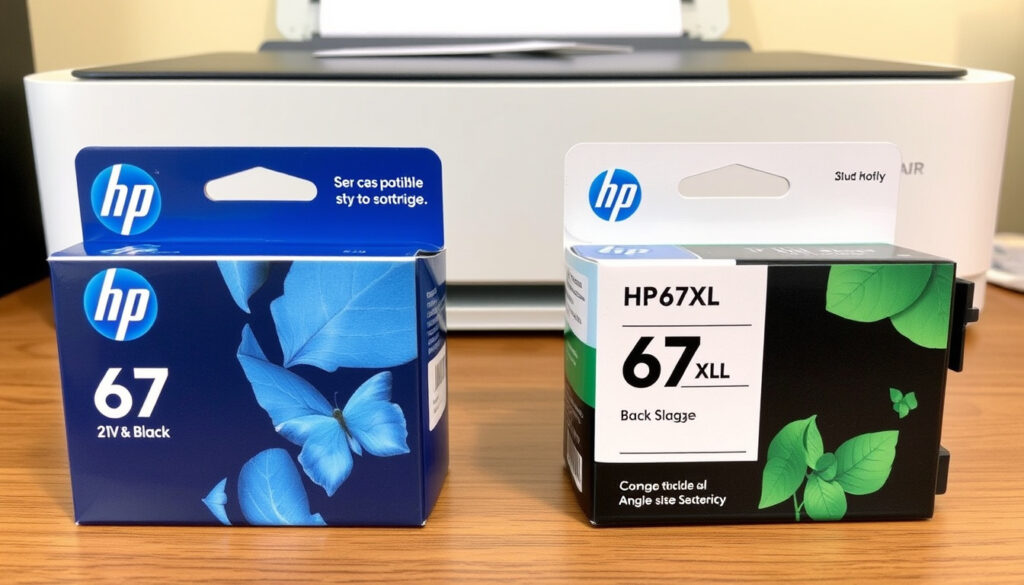
HP 67 Black Ink vs 67XL: Differences, Compatibility, and Cost Guide
Few things in home printing are as straightforward as replacing an ink cartridge — until you’re faced with two versions of the same number. The HP 67 standard and the HP 67XL both fit the same printers, but the difference in page yield and cost can add up fast after comparing official specs, user reviews, and third-party alternatives.
Standard page yield: 120 pages ·
XL page yield: 240 pages ·
Standard price (HP store): $22.99 ·
XL price (HP store): $35.99 ·
Compatible printer series: DeskJet 1255, 2700, 4100; Envy 6000, 6400
Quick snapshot
- HP 67 standard yields up to 120 pages (LD Products ink cartridge specialist)
- HP 67XL yields up to 240 pages (LD Products ink cartridge specialist)
- Both fit DeskJet 1255, 2700, 4100 and Envy 6000, 6400 series (Staples office supply retailer)
- Standard part number: 3YM56AN; XL: 3YM57AN (LD Products OEM cartridge page)
- Exact page life under mixed text/graphic printing — not tested by independent labs (LD Products notes yield varies by content)
- Quality consistency of third-party compatible cartridges varies widely (LD Products warns of quality variation)
- Long-term reliability of refilled cartridges is unverified (LD Products recommends against refilling)
- Real-world page yield under mixed graphics hasn’t been independently verified
- Retail pricing fluctuates across sellers and over time
- No fixed replacement interval — depends on print volume and coverage
- Standard cartridge typically lasts 1–3 months for light home use
- XL version can stretch to 6+ months for occasional printing
- Consider the XL if you print more than 20 pages per week — lower cost per page
- Check HP Instant Ink eligibility to save up to 50% on replacements
- Third-party alternatives from brands like LD Products or E-Z Ink may work but test first
| Attribute | Value |
|---|---|
| Page yield (black) | Standard 120, XL 240 |
| Cartridge type | Single black ink cartridge |
| Price (standard) | $22.99 |
| Price (XL) | $35.99 |
| Compatible printers | DeskJet 1255, 2700, 4100; Envy 6000, 6400 |
| Instant Ink eligible | Yes |
What’s the Difference Between HP 67 and 67XL?
Page yield
The most obvious difference is how many pages each cartridge can deliver. The HP 67 standard black cartridge is rated for up to 120 pages, while the HP 67XL high-yield cartridge delivers up to 240 pages — exactly double the output, according to LD Products ink cartridge specialist. That means the XL lasts twice as long before you need a replacement.
Price difference
The standard HP 67 sells for around $22.99 on the HP store and other retailers, while the XL version is priced at about $35.99. Some retailers list the standard at $17.81 and the XL at $20.99, but those prices fluctuate. A remanufactured XL from 4InkJets remanufactured ink supplier can be as low as $18.00 each when buying three or more.
Print quality consistency
Both cartridges use the same print head technology, so image quality is identical. The trade-off is purely about volume and cost per page. The XL cartridge costs roughly 15 cents per page (based on $35.99 ÷ 240 pages), while the standard works out to about 19 cents per page ($22.99 ÷ 120 pages). The XL saves you 4 cents per page, which adds up fast if you print frequently.
The implication: moderate users see real savings with the XL, while very light users may prefer the lower upfront cost of the standard cartridge.
Which Ink Cartridges Are Compatible with HP 67?
Original HP 67 and 67XL
The official HP 67 and 67XL cartridges are designed to work with a specific family of printers. According to Staples office supply retailer, compatible models include the HP DeskJet 1255, 2732, 2752, 2755 series, and the DeskJet Plus 4140, 4152, 4155, 4158 series. Also compatible are the HP Envy 6052, 6055, 6058, 6075 series and the Envy Pro 6452, 6455, 6458 series. Best Buy electronics retailer confirms the same lineup.
Third-party compatible cartridges
Several third-party brands offer compatible HP 67 cartridges, often at lower prices. Brands like LD Products and E-Z Ink produce alternatives that physically fit the same printers. However, LD Products OEM cartridge page notes that quality can vary, and some users report streaks or lower yield. It’s a budget-friendly option, but you may sacrifice consistency.
Can 67XL fit in a 67 printer?
Yes — the 67XL cartridge uses the same physical dimensions and connector as the standard 67, so it fits any printer that accepts the standard cartridge. There is no slot size difference. V4INK ink cartridge retailer confirms that both share the same compatibility set.
Third-party cartridges are cheaper upfront, but the risk of print defects or lower yield means your actual savings may be smaller than expected. For critical documents, stick with OEM.
The pattern: compatibility is identical across standard and XL, so the only real question is whether OEM quality justifies the premium over third-party options.
How Long Does HP 67 Ink Last and What Are Common Issues?
Expected page life
The HP 67 standard is rated for 120 pages, and the XL for 240 pages, based on 5% page coverage (a typical text document). Real-world usage varies: if you print photos or graphics with heavy coverage, yield can drop by 50% or more. LD Products ink cartridge specialist warns that the cartridge line is marketed for occasional printing, meaning it’s not designed for high-volume use.
Why HP 67 ink runs out quickly
Many users on Amazon customer reviews report that the standard cartridge seems to run out faster than expected, especially when printing mixed content. The 120-page rating is based on the ISO standard, but real-world text documents with charts or images can reduce that number to 70–80 pages. The XL is a safer bet if you want to avoid frequent replacements.
Common problems
- Clogged nozzles: If the printer sits unused for weeks, ink can dry inside the print head. Running a cleaning cycle often fixes it.
- Air bubbles: After installing a new cartridge, you may see faint or missing lines. A printhead alignment usually resolves this.
- Misalignment: The printer may report that the cartridge is not properly seated. Removing and reinserting it can help.
If you see streaks immediately after installation, the cartridge may have been stored improperly. Always check the expiration date and store cartridges in a cool, dry place.
What this means: the XL reduces replacement frequency, which lowers the odds of encountering installation issues over time.
How to Install HP 67 Ink Cartridges
Installing the HP 67 or 67XL is a straightforward process. Follow these steps based on manufacturer guidance:
- Open the printer cover. Lift the scanner unit or access door until the carriage stops moving.
- Remove the old cartridge. Press down gently on the cartridge to release it, then pull it out.
- Unpack the new cartridge. Remove the plastic tape and protective cap. Do not touch the copper contacts or the ink nozzles.
- Insert the new cartridge. Slide it into the empty slot at a slight angle, then push it up until it clicks.
- Close the printer cover. The printer will automatically initialise the cartridge. Run a printhead alignment when prompted.
After installation, print a test page to confirm quality. If you see horizontal lines, run the printhead cleaning utility from the printer software.
How Much Does HP 67 Black Ink Cost?
Standard cartridge price
The HP 67 standard black cartridge is priced at $22.99 on the HP store and at many retailers. Some outlets like LD Products ink cartridge specialist list it at $17.81, so it pays to shop around.
XL cartridge price
The HP 67XL black sells for $35.99 on the HP store. LD Products OEM cartridge page lists it at $20.99, while 4InkJets remanufactured ink supplier offers remanufactured versions for $18.00 each in multi-packs.
Cost-per-page comparison
Standard: $22.99 ÷ 120 pages = $0.19 per page. XL: $35.99 ÷ 240 pages = $0.15 per page. The XL saves you 4 cents per page. If you print 500 pages in a year, that’s a $20 saving with the XL.
Three options, one clear pattern: the XL delivers the best long-term value for moderate users.
| Feature | HP 67 Standard | HP 67XL | Third-party (e.g., LD Products) |
|---|---|---|---|
| Page yield | 120 pages | 240 pages | Varies (often 100–200) |
| Price | $22.99 | $35.99 | $12–18 |
| Cost per page | $0.19 | $0.15 | $0.08–0.15 |
| Print quality | Excellent (OEM) | Excellent (OEM) | Good to fair |
| Compatibility | All listed printers | All listed printers | Same printers |
| Warranty | HP limited | HP limited | Seller dependent |
Six specs that matter, one takeaway: the XL is the smart choice unless you print very rarely and want the lowest upfront cost.
| Specification | HP 67 Standard | HP 67XL |
|---|---|---|
| Part number | 3YM56AN | 3YM57AN |
| Cartridge type | Standard capacity | High yield |
| Page yield (black) | 120 pages | 240 pages |
| Price (HP store) | $22.99 | $35.99 |
| Compatible printers | DeskJet 1255, 2700, 4100; Envy 6000, 6400 | Same |
| Instant Ink eligible | Yes | Yes |
| Dimensions | 4.0 × 1.5 × 1.0 in | 4.0 × 1.5 × 1.0 in |
Upsides
- XL yields double the pages at a lower cost per page
- Both cartridges are easy to install and widely available
- Compatible with a broad range of DeskJet and Envy printers
Downsides
- Standard cartridge can run out fast if you print more than occasional text
- Third-party alternatives may have inconsistent quality
- Refilling is risky and can damage the print head
What We Know and What’s Still Unclear
Confirmed facts
- HP 67 standard yields 120 pages (LD Products ink cartridge specialist)
- HP 67XL yields 240 pages (LD Products ink cartridge specialist)
- Both cartridges fit the same printers (Staples office supply retailer)
- Standard part number: 3YM56AN, XL: 3YM57AN (LD Products OEM cartridge page)
- Prices on HP.com are $22.99 and $35.99 respectively
What’s still unclear
- Exact page life under mixed usage (photos, graphics) varies
- Quality consistency of third-party cartridges is not guaranteed
- Long-term reliability of refilled cartridges is unverified
- Retail prices fluctuate significantly across sellers and seasons
- Real-world yield for mixed-content printing hasn’t been independently measured
What Users and Experts Say
“The HP 67 cartridge line is commonly marketed as suitable for occasional printing because of its lower page yield.”
— LD Products ink cartridge specialist
“I bought the standard HP 67 thinking it would last a few months, but it ran out after about 70 pages of mixed text and graphics.”
— Anonymous Amazon customer review
“Compatibility across the DeskJet and Envy lines means the HP 67 and 67XL are interchangeable in most models from those series.”
— Staples office supply retailer
These perspectives confirm that real-world yield often falls short of the rated numbers, especially with mixed-content printing.
The decision between the HP 67 and 67XL comes down to your printing habits. For light users who print a few pages a week, the standard cartridge is adequate. But if you print more than 20 pages per week, the XL is the clear winner — it saves you money per page and reduces the hassle of frequent replacements. For the average home user in the U.S., the XL is the smarter buy, unless you’re willing to test third-party alternatives and accept the risk of print defects.
123inkjets.com, suppliesoutlet.com, linfordoffice.com, comboink.com, compandsave.com
Frequently asked questions
Can I refill HP 67 ink cartridges?
Yes, but it’s not recommended by HP. Refill kits are available, but overfilling can cause leaks or print head damage. If you refill, use no more than 30–40 ml of ink per cartridge.
Is HP 67 compatible with HP Envy 6000 series?
Yes, the HP 67 and 67XL work with the Envy 6052, 6055, 6058, and 6075 series, as confirmed by Staples office supply retailer and Best Buy electronics retailer.
How do I check ink level on an HP 67 cartridge?
You can check ink levels via the HP Smart app on your phone or computer, or through the printer’s control panel (if available).
Does HP 67 work with HP Instant Ink?
Yes, the HP 67 and 67XL are eligible for HP Instant Ink, which can save you up to 50% on replacement cartridges. Check HP’s website for plan details.
What is the warranty on HP 67 cartridges?
HP offers a limited warranty on original cartridges, covering defects in materials or workmanship. Third-party cartridges have no standard warranty.
Are there any cheaper alternatives to HP 67 ink?
Yes, third-party brands like LD Products and E-Z Ink offer compatible cartridges at lower prices. However, quality may vary, and some users report lower page yields.
How should I store unused HP 67 cartridges?
Store cartridges in a cool, dry place, away from direct sunlight. Keep them in their sealed packaging until ready to use. Avoid temperatures above 90°F (32°C).
More related posts
 Race Across the World 2026: Season 6 Confirmed & Guide
 1 Cup Flour in Grams – Accurate Weights by Type and Method
 Simon Shuker Code-Cracker Solver: Tips & Tools
 15kg LPG Gas Bottle: Price, Refill Cost & Lifespan
 Palmerston North Things to Do – Top Attractions and Free Activities
 South Canterbury Propagation Liquidation: Over $1M Paid
 Son of Sardaar 2: Release, Cast, Netflix OTT & Box Office Verdict
 First Home Buyers Grant – Complete Guide by State
