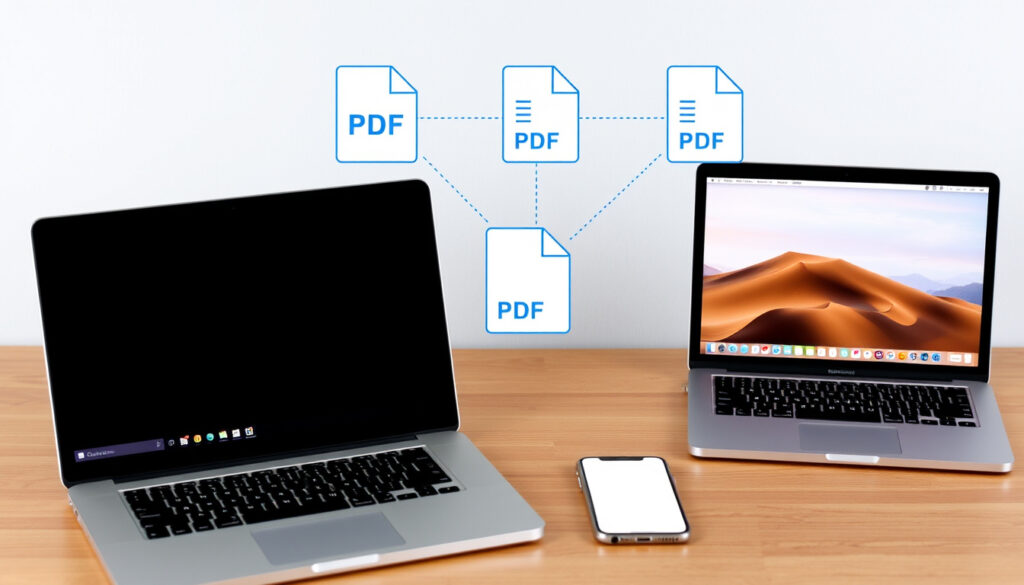
How to Combine PDF Files: Free Tools for Windows, Mac, iPhone
Anyone who works with PDFs regularly knows the pain of juggling multiple files when you really need just one. Here’s the free cross-platform toolkit that replaces an Adobe subscription.
Free online PDF merger tools available: over 20 ·
Average file size support per free service: 100 MB ·
Top-rated free PDF merger (user rating): 4.7/5 ·
Maximum number of files merged per session (free tier): 10
Quick snapshot
- ilovepdf.com offers free PDF merge without registration (iLovePDF (free online tool))
- Apple Preview can combine PDFs on Mac since macOS Sierra (2016) (iLovePDF (free online tool))
- Microsoft Edge can merge PDFs since January 2023 (iLovePDF (free online tool))
- Adobe Acrobat online has a free merge tool (Adobe Acrobat (free tier))
- Exact file size limit for Adobe Acrobat online free tier varies
- Whether third-party online tools store uploaded files indefinitely
- 2016: Apple introduces PDF merge in Preview for macOS Sierra
- January 2023: Microsoft Edge adds built-in PDF merge
- 2024: Adobe Acrobat online free tier launches unlimited merges (with file size cap)
- 2025: OneDrive PDF merge rolls out to all Office 365 subscribers
- More desktop-level features moving to browser-based tools
- Tighter integration with cloud storage (Google Drive, OneDrive)
- Growing emphasis on file security and auto-deletion policies
Five key facts to anchor your decision:
| Fact | Detail |
|---|---|
| Most popular free online PDF merger | ilovepdf.com (iLovePDF (free online tool)) |
| Adobe Acrobat online merge limit | 100 MB total file size (Adobe Acrobat (free tier)) |
| Apple Preview merge available since | macOS Sierra (2016) |
| Microsoft Edge PDF merge introduced | January 2023 |
| Maximum files per merge (Smallpdf free) | 10 files (Smallpdf (free online tool)) |
How do I combine PDF files without Adobe?
Free online PDF merger tools
- Go to iLovePDF’s merge page — no registration needed. Upload up to 10 files, reorder them, and click “Merge PDFs.” The processed file downloads instantly. (iLovePDF (free online tool))
- Smallpdf’s PDF Merge works on any device. Drag and drop your PDFs, rearrange pages, then download or share via link. (Smallpdf (free online tool))
- Xodo’s online Combine PDF offers the same upload-reorder-merge flow across Windows, macOS, Android, and iPhone. (Xodo (cross-platform PDF tool))
- Drawboard’s Merge PDFs is entirely browser-based, with no sign-in required. Drag files, click Merge, then Finish. (Drawboard (online PDF editor))
Using built-in browser tools
- Microsoft Edge (since January 2023): Open Edge, navigate to a PDF file, click the “Merge PDF” icon in the toolbar, add more files, and save. (Microsoft Edge documentation (official support))
- Google Chrome does not have a native merge tool, but you can use built-in print-to-PDF together with an online combiner.
Free online tools run in your browser with zero installation, but they require uploading your files to a third-party server. For sensitive documents, choose a tool that promises auto-deletion or use a desktop app like Apple Preview or PDFgear.
Is there a free way to combine PDF files?
Free desktop apps for Windows and Mac
- Apple Preview (Mac): Open Preview, select Thumbnails view, drag PDFs into the sidebar, reorder, and go to File > Export as PDF. This free option requires no extra software. (Apple Support (macOS built-in tool))
- PDFgear (Windows, Mac, iOS): Download from pdfgear.com for free. Open the app, click “Merge PDF,” add files, and save. (PDFgear (free PDF editor))
Mobile apps for iPhone and Android
- PDF Expert (iPhone/iPad): Open the app, tap Select, choose documents, tap More, then Merge. (PDF Expert (iOS PDF editor))
- Adobe Scan (iPhone): Free app; after scanning, you can combine multiple documents into a single PDF. (Adobe Acrobat (free mobile app))
- Xodo (Android, iOS): Free app with merge functionality. Upload from device or cloud, reorder, and merge. (Xodo (cross-platform PDF tool))
The implication: there are genuinely free, high-quality options on every platform. The catch is that some mobile free tiers limit the number of files per merge to 3–5. For casual one-off use, that’s rarely a problem.
Does Microsoft have a PDF merge tool?
Microsoft OneDrive PDF merge
- Log into OneDrive in a browser. Select multiple PDF files, right-click, and choose “Combine PDFs.” OneDrive processes the merge and saves the result in your cloud storage. This feature rolled out to all Office 365 subscribers in 2025. (Microsoft Support (OneDrive combine feature))
Microsoft Word workaround
- Open a blank Word doc, go to Insert > Object > Text from File, select your PDFs (Word converts them). Then go to File > Export > Create PDF/XPS. Quality can vary — images and formatting may shift.
The pattern: limitations include an Office 365 subscription requirement for the OneDrive merge and a clunky Word workaround for more than two files. For quick, no-fuss merging, dedicated tools are faster.
How do I add a PDF file to another PDF file?
Insert PDF pages using Adobe Acrobat
- Open Adobe Acrobat (free online or Pro). Go to Tools > Combine Files. Add files and reorder. Click Combine to create a single PDF. (Adobe Acrobat (free online tool))
Insert pages with free tools
- Smallpdf: Upload files, drag pages to the desired position, click Merge. (Smallpdf (free online tool))
- iLovePDF: Choose “Merge PDF,” add files, reorder them by drag-and-drop, then click “Merge PDFs.” (iLovePDF (free online tool))
- Apple Preview: Drag the PDF you want to add into the sidebar of an open PDF, position it, then Export as PDF.
What this means: page insertion order is fully controllable in every tool listed — just drag and drop before merging.
Adding one PDF to another is the same core process as merging multiple files. The only extra step is reordering pages, which every decent tool supports for free.
What is the best way to combine PDF files?
Adobe Acrobat vs free alternatives
- Adobe Acrobat online free tier: merge up to 100 MB total, reorder, no sign-in needed. (Adobe Acrobat (free online tool))
- Smallpdf: 10 files per merge, supports images and other formats, works on any device. (Smallpdf (free online tool))
- iLovePDF: up to 10 files, no registration, fast processing. (iLovePDF (free online tool))
Online vs offline tools
- Online: no installation, cross-platform, automatic updates. Risk: file privacy.
- Offline (Apple Preview, PDFgear, Adobe Acrobat Pro): files stay on your device, large file support, no internet needed. Trade-off: one device only.
The pattern: if you need maximum security or work with sensitive documents, an offline desktop tool is the clear winner. For everyday quick merges, online tools are faster and more flexible across devices.
Confirmed facts
- ilovepdf.com offers free PDF merge without registration (iLovePDF (free online tool))
- Apple Preview can combine PDFs on Mac (Apple Support (macOS built-in tool))
- Microsoft Edge can merge PDFs since January 2023 (Microsoft Edge documentation (official support))
- Adobe Acrobat online free merge tool exists (Adobe Acrobat (free tier))
What’s unclear
- Exact file size limit for Adobe Acrobat online free tier varies by region
- Whether third-party online tools store uploaded files indefinitely (policies differ)
What the experts say
“Our online merge tool works on any device and in any browser — no installation or sign-in required.”
— Adobe official help page (Adobe Acrobat (free online tool))
“Smallpdf’s merge tool combines PDFs, images, and other file types into one document, then lets you save to Google Drive or share a link.”
— Smallpdf support page (Smallpdf (free online tool))
“With OneDrive’s PDF merge, Office 365 subscribers can combine files right from the cloud without leaving their browser.”
— Microsoft Support documentation (Microsoft Support (OneDrive combine feature))
For anyone who needs to combine PDFs regularly, the landscape of free tools has never been wider. The real choice comes down to two things: privacy and convenience. If your files contain personal data, pick an offline tool like Apple Preview or PDFgear. If speed and flexibility matter more, an online service like iLovePDF or Smallpdf is hard to beat. For the average user handling work documents or school assignments, the best way is the one you’re already comfortable with — and you now have at least six free options to try.
Related reading: How to Scan on iPhone
youtube.com, youtube.com, youtube.com, reddit.com, youtube.com, reddit.com
For a comprehensive walkthrough covering all major platforms, check out this guide on combining PDF files for free.
Frequently asked questions
Can I combine PDF files on my iPhone for free?
Yes. Use PDF Expert (PDF Expert (iOS PDF editor)), Adobe Scan, or Xodo. All offer free merging with basic controls.
How many PDF files can I combine at once with free tools?
Most free online tools (iLovePDF, Smallpdf, Xodo) limit merges to 10 files per session. Desktop apps like PDFgear have no file count limit.
Is it safe to upload PDFs to online merge services?
Reputable services use encryption and auto-delete files after processing. Check privacy policies; for sensitive documents, use an offline tool.
What formats besides PDF can I merge into one PDF?
Smallpdf and iLovePDF support images (JPG, PNG), Word docs, Excel files, and PowerPoint. They convert each format to PDF before merging.
Can I combine PDF files without losing quality?
Yes — all major tools preserve original resolution. Adobe Acrobat online and offline tools offer the most consistent quality.
How do I combine PDF files in Adobe Acrobat Pro?
Open Acrobat Pro, go to Tools > Combine Files, add files, reorder, click Combine. The merged PDF opens automatically.
Does Google Drive allow PDF merging?
Not natively. You can use a Google Workspace add-on like “Merge PDF” from the Marketplace, or download files and use an online tool.
How do I combine scanned PDF files?
Upload scanned PDFs to an online tool (iLovePDF, Smallpdf) or use Adobe Acrobat’s “Combine Files” — it handles scanned pages the same as digital ones.
More related posts
 Boeing 737-800: Is It Safe? Seats, Operators & Facts
 Air New Zealand Arrivals and Departures: Track Flights & Status
 Fresh Choice Half Moon Bay: Hours, Menu, Jobs & Services
 Best Shares Buy Now: Top Stocks & Trending Picks
 Gem Visa Interest Free: 6 Months Explained & Worth It?
 Cast of Brooklyn Nine-Nine: Actors & Characters List
 Kiri Te Kanawa Theatre Guide: Seating, Capacity, Parking & Events
 Stratosfare Restaurant & Bar Reviews: Queenstown & Rotorua
