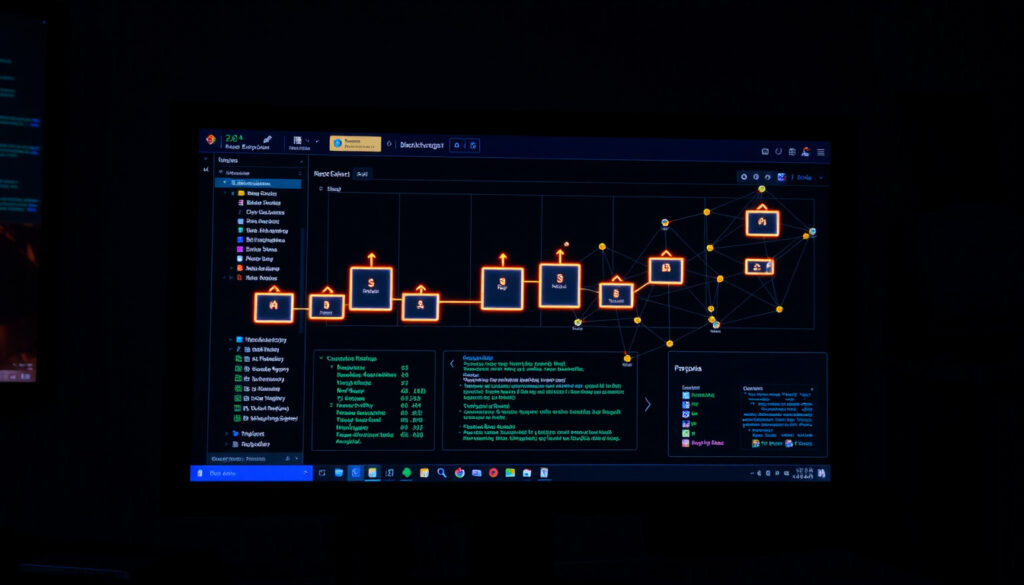
What Is a Blockchain Explorer? Definition, Uses & Examples
If you’ve ever sent crypto and waited for that confirmation, you know the anxiety of not knowing where your transaction is. A blockchain explorer is the tool that pulls back the curtain, letting you see exactly what’s happening on the network.
Primary Function: Search and view data recorded on a blockchain ·
Supported Data Types: Transactions, blocks, addresses, wallet balances, smart contracts ·
Popular Example: Blockchain.com Explorer – most popular Bitcoin block explorer
Quick snapshot
- A blockchain explorer is a search engine for blockchain data. (Chainlink (blockchain oracle network))
- Most explorers are free to use for basic queries. (WhiteBIT Blog (crypto exchange educational resource))
- Blockchair’s supported chain count varies between sources: 40+ and 48 reported. (WhiteBIT Blog)
- The “best” explorer depends on subjective criteria like chain coverage and interface. (Rango Exchange (crypto swap aggregator guide))
- The first blockchain explorer, Blockchain.com, launched in 2011, two years after Bitcoin’s 2009 debut. (Koinly (crypto tax platform))
- Explorers are expanding to layer‑2 networks: Basescan for Base, Arbiscan for Arbitrum. (Eco Support (crypto platform help center))
These essential facts frame what you need to know about blockchain explorers at a glance.
| Fact | Value |
|---|---|
| First Blockchain | Bitcoin (2009) |
| First Blockchain Explorer | Blockchain.com launched 2011 |
| Number of Public Blockchains with Explorers | Over 100 |
| Typical Lookup Methods | Transaction hash, wallet address, block number |
| Etherscan Founded | 2015 |
| Solscan Launched | 2020 |
| Blockchair Supported Chains | Over 40 (reportedly up to 48) |
| Etherscan V2 Free Tier API Limit | 5 calls/second, 100k calls/day (reportedly) |
| Helius Free Tier Credits | 1 million per month (reportedly) |
It’s the public records room for blockchains — free to enter, but often confusing to navigate. This guide breaks down what these tools do, which ones work best for different chains, and why they matter more than you might think.
What is a blockchain explorer?
- A blockchain explorer is a search engine for blockchain data. (Chainlink (blockchain oracle network))
- It allows viewing transactions, blocks, addresses, and balances. (QuickNode (blockchain developer platform))
- Blockchain.com is the most popular Bitcoin explorer. (Koinly (crypto tax platform))
Think of it as the Google of the blockchain world. You paste in a transaction hash or a wallet address, and it returns a page full of data: confirmations, fees, timestamps, and more. Every public blockchain has at least one native explorer, and some are multi-chain aggregators like Blockchair that index dozens of networks at once.
What makes explorers powerful is that they don’t just show you your own activity—they make the entire ledger searchable. As Chainlink (blockchain oracle network) puts it, they “let you search and view data recorded on a blockchain.” That transparency is the whole point of a decentralized public ledger.
What is blockchain explorer used for?
Tracking transactions
- Enter a transaction hash to see its status, number of confirmations, and fees paid. (WhiteBIT Blog (crypto exchange educational resource))
When you send crypto, the explorer shows whether the transaction is pending, confirmed, or failed. The number of confirmations grows each time a new block is mined, giving you confidence that the transaction won’t be reversed.
Monitoring wallet balances
- Plug in any public wallet address to see its current balance and transaction history. (QuickNode (blockchain developer platform))
This is especially useful for verifying incoming payments: you can watch the recipient’s balance update in real time as confirmations pile up. Some explorers also show token holdings and NFT collections associated with an address.
Verifying confirmations
- Most exchanges require a certain number of confirmations before crediting deposits. Explorers show the exact count. (WhiteBIT Blog)
For Bitcoin, 3–6 confirmations are typical; for Ethereum, 12–35 block confirmations are common. The explorer also shows the block height and timestamp, so you can cross‑check with the exchange’s status.
What is an example of a blockchain explorer?
Etherscan for Ethereum
- Etherscan is the leading Ethereum explorer, launched in 2015. (Rango Exchange (crypto swap aggregator guide))
- It covers Ethereum plus 60 EVM chains via its V2 API. (Eco Support (crypto platform help center))
Etherscan is the baseline for Ethereum analysis. You can read verified smart contract source code, check token transfers, and even interact with contracts through its built‑in “Write Contract” interface. Its API is used by countless dapps and analytics platforms.
Blockchain.com for Bitcoin
- Blockchain.com’s explorer is the longest‑running Bitcoin explorer, launched in 2011. (Koinly (crypto tax platform))
It offers a clean, beginner‑friendly interface for looking up Bitcoin transactions, addresses, and blocks. It also provides an API, a wallet, and a data dashboard — making it more than just an explorer.
Solscan for Solana
- Solscan is the go‑to explorer for Solana, supporting token accounts and program logs. (Koinly)
Because Solana processes thousands of transactions per second, Solscan is built to handle high throughput. It shows detailed information about token transfers, staking, and smart contract events specific to the Solana ecosystem.
Other notable examples include BscScan for BNB Smart Chain, Tronscan for Tron, and the multi‑chain Blockchair which indexes over 40 chains. Each explorer tailors its features to the peculiarities of its host blockchain.
What is the best blockchain explorer?
- The best explorer depends on the blockchain network and your specific needs. (Rango Exchange)
- Etherscan is widely considered the best for Ethereum due to its extensive features and developer tools.
- Blockchain.com remains the top choice for Bitcoin because of its simplicity and longevity.
Key factors to consider
- Data coverage: Does it support the chains you need? Multi‑chain explorers like Blockchair cover many networks, but single‑chain explorers often offer deeper features.
- User interface: Is it easy to search and interpret results? Some explorers prioritize simplicity, others pack in advanced analytics dashboards.
- API and automation: Developers need rate limits and pricing that fit their scale. Etherscan V2 offers 5 calls/second on free tier; Helius provides 1M credits/month free for Solana.
For most casual users, the best explorer is the one natively built for the chain they use most. For Ethereum, that’s Etherscan; for Bitcoin, Blockchain.com; for Solana, Solscan. Developers may prefer a multi‑chain tool like Blockchair or a self‑hosted option like Blockscout for rollup chains.
Is using a blockchain explorer free?
Free tiers cover basic lookup
- Most explorers offer free basic search of transactions, blocks, and addresses. (WhiteBIT Blog)
You can visit any explorer website, type in a hash or address, and get full details at no cost. No registration is required for manual queries. This is the core value proposition: public blockchains are meant to be auditable by anyone.
Premium APIs and advanced features
- High‑volume API access often requires paid plans. Etherscan Lite is $49/month for 5 million calls. (Eco Support)
- Helius Developer plan is also $49/month. (Eco Support)
Premium features include higher API rate limits, historical data exports, custom alerts, and webhook integrations. For a hobbyist or small project, the free tiers are usually sufficient. For production applications, budget $50–200 per month for a reliable API key.
The catch is that free tiers have strict rate limits — typically 1–5 requests per second. If you’re building a dashboard or data pipeline, you’ll quickly hit those limits. Some explorers also restrict access to certain advanced data types (like internal transactions) on free plans.
Free explorers give you the transparency of blockchain without upfront cost, but they limit automation. For manual checks, they’re perfect. For business use, the price of data access is a necessary operating expense.
Comparison of popular blockchain explorers
The table below captures how four major explorers diverge on chain support and pricing.
| Explorer | Primary Chain | Free API Limit | Key Feature |
|---|---|---|---|
| Etherscan / Etherscan V2 | Ethereum + 60 EVM chains | 5 calls/sec, 100k/day | Advanced contract interaction |
| Blockchain.com Explorer | Bitcoin | 1 call/sec (approx.) | Simplest interface, oldest tracker |
| Solscan | Solana | 10 calls/sec (free tier) | Native Solana token and program support |
| Blockchair | 40+ chains (Bitcoin, Ethereum, Litecoin, etc.) | 1 call/sec (free) | Multi‑chain search, privacy mode |
The pattern: each explorer specializes in a core chain but extends coverage differently. Etherscan’s V2 family provides the widest coverage for EVM developers, while Blockchair is the best bet for cross‑chain comparisons.
Pros and cons of blockchain explorers
Upsides
- Full transparency of public blockchain transactions
- Free manual queries for any address or transaction
- Essential for verifying payments and troubleshooting failed transfers
- Enables custom analytics and portfolio tracking via APIs
- Often include additional data like token prices, NFT metadata, and mempool status
Downsides
- Privacy risk: any address you search is public; no built‑in obfuscation
- Learning curve for interpreting raw transaction data
- Free API rate limits can frustrate developers and automated tools
- Multi‑chain explorers may lack depth on individual chains
- Some explorers display ads or monetize user data
The implication: transparency cuts both ways. You get open access to a public ledger, but every search leaves a footprint that could reveal your crypto activity.
Quotes from the industry
A blockchain explorer is “a tool that lets you search and view data recorded on a blockchain.”
Chainlink (blockchain oracle network)
“A blockchain explorer is a search engine for a blockchain network.”
“Explorers often show wallet balances, transaction histories, confirmations, and fees, which makes them useful for verifying transfers.”
Summary
Blockchain explorers are the essential window into public ledgers, enabling anyone to verify transactions, monitor balances, and inspect smart contracts. They embody the transparency promise of decentralized networks — but that transparency comes with a privacy cost: every search is publicly visible. For the average crypto user, the choice is clear: use a free explorer for manual checks and consider a paid API if you need automation. The blockchain is open; what you do with that openness is up to you.
The pattern: the tool’s openness is also its privacy risk. Users must decide whether convenience or anonymity matters more.
For anyone new to crypto, understanding how to check transactions and wallet balances starts with blockchain explorer tools like Etherscan, which act as search engines for public ledger data.
Frequently asked questions
How does a blockchain explorer work?
An explorer connects to a blockchain node (or an archive node) and indexes its data into a searchable database. When you enter a transaction hash or address, the explorer queries its database and returns the relevant on‑chain records. Most explorers update in near real‑time as new blocks are added.
What data can you find on a blockchain explorer?
You can find transaction details (hash, status, fees, inputs, outputs), block information (height, timestamp, miner/validator), wallet balances and transaction history, token transfers, smart contract source code (if verified), and network statistics like hashrate or total supply.
Can you use a blockchain explorer for any cryptocurrency?
Every public blockchain has at least one native explorer. For major chains (Bitcoin, Ethereum, Solana, BNB Chain, etc.) there are well‑known explorers. Some multi‑chain explorers like Blockchair cover dozens of networks in one interface. For newer or niche chains, you may need to use their own specific explorer.
What is the difference between a block explorer and a blockchain explorer?
The terms are often used interchangeably. Strictly speaking, a “block explorer” focuses on browsing blocks and their contents, while a “blockchain explorer” is a broader tool that also includes address searches, transaction histories, and smart contract viewers. In practice, most tools branded as block explorers offer all of these features.
How to check a transaction using a blockchain explorer?
Copy the transaction hash (TXID) from your wallet or exchange. Go to the appropriate explorer website, paste the hash into the search bar, and press enter. You’ll see the transaction status, number of confirmations, fees, and the block it was included in. If the transaction is pending, the explorer will show “unconfirmed” until a miner includes it.
Are blockchain explorers safe and private?
Using an explorer to look up public data is safe — you’re not sending any sensitive information. However, the searches themselves are not private: the site logs IP addresses and can associate that with the addresses you look up. For enhanced privacy, use a VPN or a privacy‑focused explorer like Blockchair’s private mode.
More related posts
 Harvey Norman Outlet Store: Ireland Locations & Clearance Deals
 Wellington and Palmerston North Courts Evacuated After Bomb Threats
 iPhone 13 Pro Case – Top Protective MagSafe Picks 2024
 Taranaki vs Hawkes Bay – Score, Report and Highlights
 Palmerston North Things to Do – Top Attractions and Free Activities
 Denver Nuggets vs Phoenix Suns Match Player Stats – Box Scores
 Kiri Te Kanawa Theatre Guide: Seating, Capacity, Parking & Events
 Lunch Box for Adults NZ: Best Kmart & Farmers Picks
